DPO Radio

 COMPLIANCE FORMS
From DPIA dossiers to e-commerce registrations — structured forms that meet regulatory presentation standards.
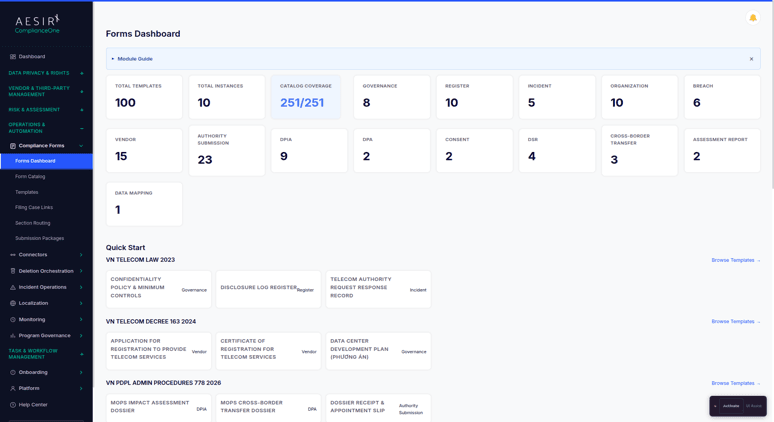
Regulatory filings in Vietnam require precise form identity and formatting. Under Decree 356, cross-border impact notices use Mẫu số 01a or 01b, processing-impact notices use Mẫu số 02a or 02b, and violation notification uses Mẫu số 08. Other authorities prescribe their own structures. Manual copying, formatting, and package assembly make it easy to select the wrong form or omit supporting material.
Enterprise DPOs bear the responsibility for these filings. They must coordinate input from multiple departments, ensure every form carries the correct official label, verify that pre-populated fields match the underlying case data, and assemble the final submission package with all required attachments before the statutory deadline.
Without a structured forms system, DPOs resort to Word templates emailed between departments. Version control breaks down. Departments overwrite each other's sections. There is no completeness check before submission — the DPO discovers missing fields only when the regulator rejects the package.
Compliance Forms solves this by integrating directly with filing cases across DPIA dossiers, cross-border transfer records, and breach notification cases. Forms carry official Vietnamese labels as prescribed by law. Fields auto-populate from linked case data, and multi-department section routing ensures each team completes only their assigned sections. The submission package assembly tool compiles all required forms and supporting documents into a single bundle with completeness validation that prevents submission until every required field and attachment is present.
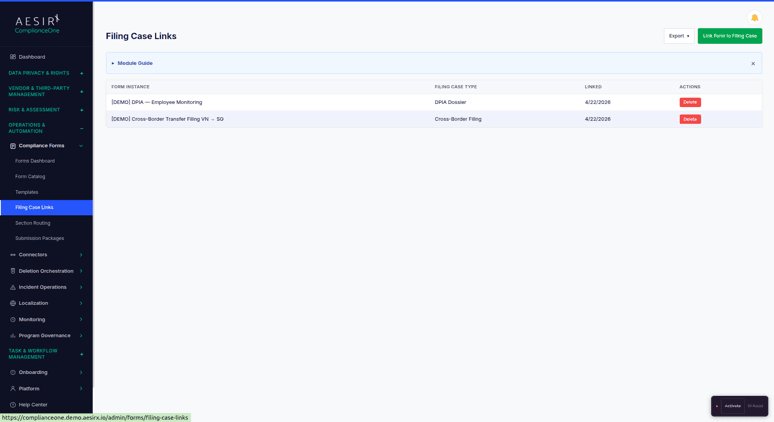
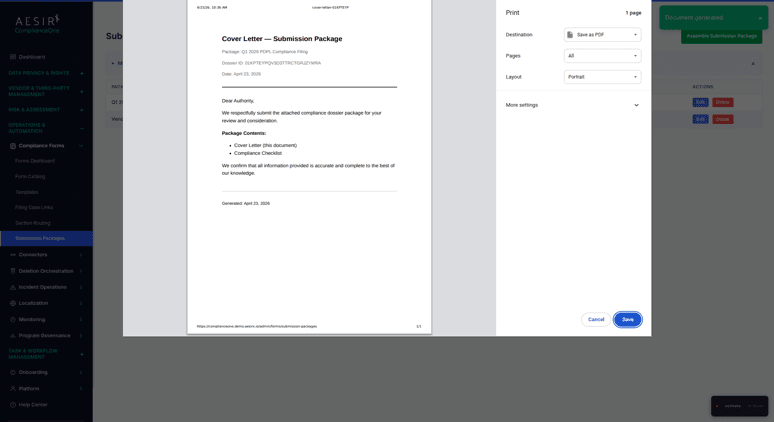
Forms link directly to filing cases — DPIA dossiers, cross-border transfer records, and breach notification cases. Status synchronizes between the form and its parent case, so when a form is completed, the filing case reflects the progress automatically. This eliminates the gap between form completion and case tracking.
Vietnamese regulatory forms display their official Mẫu số labels as prescribed. The source instrument, issuing authority, title, and printed form number remain available for review alongside the form.
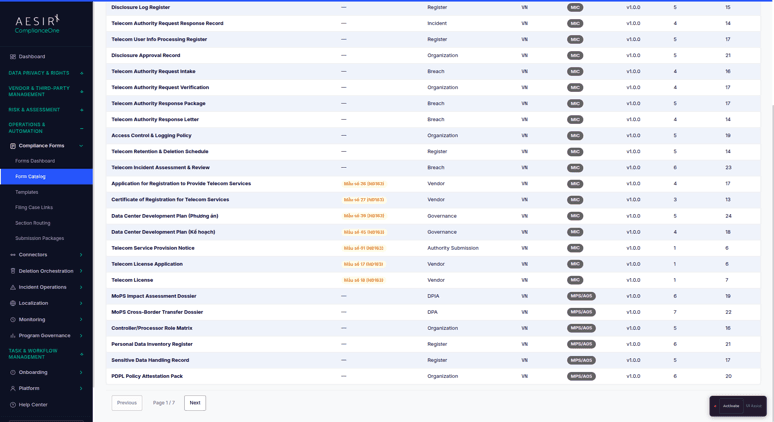
Every artifact in the library records what it is. It is one of five kinds: a numbered form an instrument publishes for completion and return, a list or reference an authority publishes to be read, a template we wrote, a record your organization produces as evidence, or explanatory guidance. Only the authority-published kinds can display as official, and getting there takes two steps we keep deliberately apart.
First the citation: the instrument, the issuing authority, the title in both languages, and the appendix or form number as printed where the instrument prints one. The version and the source address are recorded where the instrument gives them, and are never required. An instrument published in print, or stating no edition, is still published, and we will not withhold a badge on the publisher's behalf.
Then the confirmation: somebody in your organization opens the artifact, checks the citation against the source, and saves. That act is what produces the badge, and the platform records who performed it and when. Until then the artifact says, in as many words, that nobody has checked it yet.
An artifact that cannot supply the citation is not rejected — it simply does not display as official, and names the part that is missing. The platform does not decide what is official; it shows the evidence and asks a person to check it.
Form fields pre-fill from connected case data. When a DPIA dossier already contains organization details, data processing descriptions, and risk assessment findings, the linked compliance form pulls that data automatically. Multi-department section routing directs each team to complete only their assigned sections.
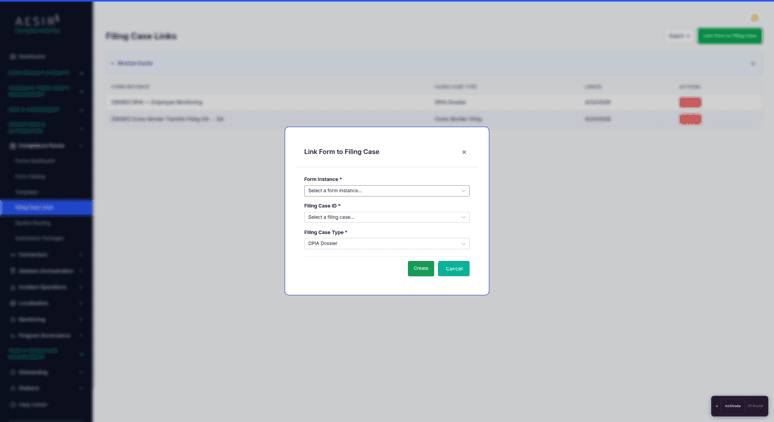
The submission package tool compiles all required forms and supporting documents into a single submission-ready bundle. A completeness validation check prevents submission until all required fields are filled and all required attachments are present — catching gaps before the package reaches the regulator.
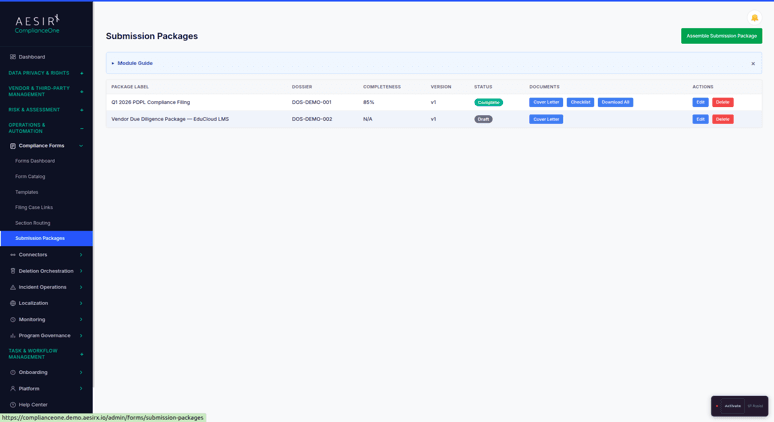
A library of pre-built compliance form templates covers common Vietnamese regulatory requirements. Organizations can also create custom templates with dynamic field logic, conditional sections, and field validation rules. All templates support Vietnamese and English.
Some published artifacts are meant to be read rather than completed — an authority's list of categories, a reference table, a piece of guidance. Those are held as what they are: they cannot be filled in or submitted, and they are not presented as empty forms waiting for someone to start them.
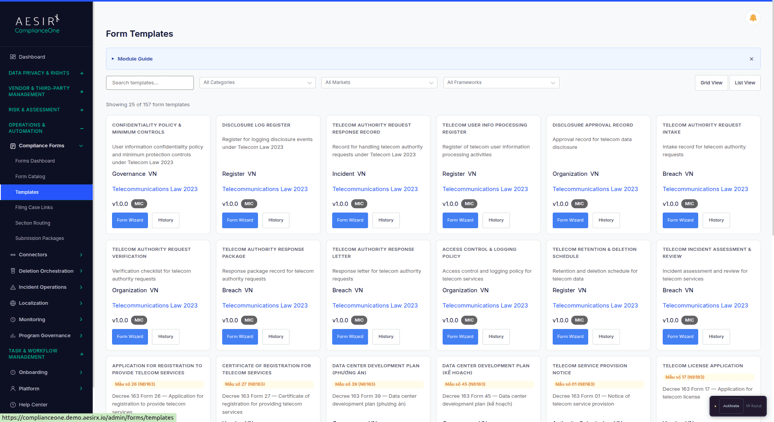
Completed forms generate formatted documents from the entered data. Output is structured for regulatory submission, with fields, labels, and formatting matching the expected regulatory format.
Artifacts whose provenance was never captured arrive unclassified, and a named person decides. The Verification Queue is where that work sits: what is waiting, why it could not be classified from what the record already carried, and who resolved each one. It is real work rather than a background job, and an unclassified artifact cannot carry an official badge until it is done.
What an artifact is and who may see it are separate questions, answered separately. Most artifacts are open to anyone with library access, and some are limited to holders of a specific permission. A restricted artifact is absent unless the reader holds a grant naming them, for that artifact, for a purpose they stated, ending on a date. Without that grant there is no search result, no entry in a count, no detail view and no line in an export. Every attempt is recorded, refusals included.
Issuing a grant and holding one are separate permissions. Someone with custody can open a restricted artifact to a colleague; that does not give it to them, and reading it requires a grant of their own. Live grants, the attempts made against them, and the refusals sit together on the Restricted Access screen.
The three screens — Artifact Catalog, Restricted Access, and Verification Queue — sit together under Regulatory Artifacts in Governance, because deciding what the organization holds, and who may reach it, is oversight.


 Regulatory forms prepared manually in Word with no link to the underlying case data.
 Forms link directly to filing cases with auto-populated fields from case data.Official Vietnamese labels applied inconsistently, risking rejection by authorities.Official labels enforced at the template level for every Vietnamese regulatory form.Submission packages assembled by hand with no completeness check before filing.Submission package assembly with completeness validation that blocks incomplete filings.Multi-department form sections managed via email with version control conflicts.Multi-department section routing gives each team their assigned sections without overlap.No synchronization between form completion status and the filing case lifecycle.Form status synchronizes with the parent filing case for real-time progress visibility.Nobody can say which documents an authority published and which someone in the organization wrote.An official badge is displayed only where the instrument, form number, authority, and source are all recorded; anything short of that says so instead.The strongest control over a sensitive document is keeping it off a menu, which leaves it reachable by link and present in every export.A restricted artifact is absent rather than hidden, and is reachable only through a grant to a named person for a stated purpose and a bounded period.

Filing case integration spans three major compliance processes — DPIA dossiers, cross-border transfer records, and breach notification cases — with synchronized status between forms and their parent cases.
Official Vietnamese label enforcement is built into the template layer, not applied manually, ensuring every generated form carries the prescribed Mẫu số reference.

Completeness validation runs before submission package assembly, checking all required fields and attachments so that gaps are caught before the package is sent to the regulator — not after.
The question "which of these did an authority actually publish?" has an answer you can check, because the badge is only shown where the instrument, form number, authority and source sit behind it. Where they do not, the library says nobody has confirmed it yet rather than guessing, and the outstanding decisions sit in the Verification Queue with a person's name against each.

A document that only a few people should be able to find is not merely kept off a menu. Without a grant it produces no search result, no count, no export row, and a direct link returns not found. The attempts that were refused are recorded alongside the ones that succeeded, so a review can see who tried.
Connects impact-dossier notices and reports to assessment data, approval, and submission-package evidence.Keeps 01a/01b cross-border notices separate from 02a/02b processing-impact notices, with the suffix selected by applicant kind.Implementation decree forms for PDPL procedural requirements, with field structures matching decree specifications.E-commerce marketplace registration forms (TMDT templates) with platform classification fields and dossier bundle assembly.Ready to see how Compliance Forms works with your compliance workflows? Request a personalized demo.

Ronni K. Gothard Christiansen - Technical Privacy Engineer & CEO
Technical Compliance Expert, 32+ Years Open Source Advocate, X-BoD Open Source Matters Inc.
No. A form classified as a restricted regulatory artifact needs an access grant naming one person, for one record, for a stated purpose and a bounded period. It is the same grant its registry entry needs, because the entry and the form it is kept in are one subject with one answer. Without it the form is absent from the template list, from the catalog, from its change history and from evidence-pack exports, and a direct link returns not found rather than refused. Every attempt is recorded, including the ones that were refused. This applies to six forms today; nothing changes for the rest of the catalog.
Yes. Compliance Forms carries the prescribed Mẫu số label from the source instrument and shows it with the rest of the artifact's provenance. A reviewer can check the instrument, issuing authority, title, and printed form number rather than taking the label on trust.
Because the badge stands on two things, and you can inspect both. The first is the citation: the instrument, the issuing authority, the title in both languages, and the appendix or form number as printed. The second is the name of the person in your organization who confirmed that citation against the source, with the moment they did it. Where part of the citation is missing, the artifact does not display as official and says which part. Where the citation is complete and nobody has confirmed it, it says exactly that and waits in the verification queue. Nothing arrives pre-badged: an installer cannot check a document against a source, so the first badge in your library is one of your own people's decisions. The platform does not judge what is official — the authority publishes, the library cites, and your team confirms.
Yes. A restricted artifact is absent for anyone without a grant: no search result, no entry in a count, no detail view, no export row. A direct link returns not found rather than a refusal, because a refusal would confirm the document exists. A grant is issued to one named person, for one artifact, for a purpose they state, and for a period that ends — never permanently, and never as a role people are added to. Every attempt is recorded, refusals included. This governs access inside the platform; a copy somebody has already downloaded is outside what it can control.
Each form links directly to its parent filing case. When the filing case contains data — organization details, risk findings, processing descriptions — the form auto-populates relevant fields. Status synchronizes bidirectionally, so completing a form updates the filing case progress.
Yes. Multi-department section routing assigns specific form sections to specific teams. Each department sees and completes only their assigned sections, eliminating overlap and version conflicts. The form owner sees the consolidated view with per-section completion status.
The submission package assembly tool runs a completeness validation check before allowing submission. It verifies that all required fields are filled and all required attachments are present. If anything is missing, the system identifies exactly what is needed before the package can proceed.
Yes. The form template builder supports custom templates with dynamic field logic, conditional sections, and field validation rules. Custom templates can be saved to the form catalog for reuse across the organization and support both Vietnamese and English.
Explore the module architecture, then speak with us about the workflows your organization needs to operationalize first.

Test Compliance Forms with your actual regulatory filings and see auto-population and completeness validation in action.

Walk through your filing requirements and see how official label enforcement and submission packages fit your process.


The evolution of Aesir is Aesir +  (the Norse symbol for Necessity)"Needed in order to achieve a particular result"
♥Join the AesirX Privacy Newsletter. Stay Informed. Stay Compliant.


 VN PDPL (91/2025/QH15)
 VN E-Commerce Law (122/2025/QH15)