
DPO Radio

 TASK MANAGEMENT
One view for every task across your GRC program – with section-level assignments, conflict detection, and SLA enforcement.

Compliance programs generate work across dozens of modules; DPIA sections need completing, vendor reviews need scheduling, incident remediation tasks need assigning, and monitoring cycles need closing. Without a unified task layer, each module becomes its own silo. DPOs chase status updates by email, department owners lose track of deadlines, and leadership has no consolidated view of what is overdue.
Enterprise DPOs (P-VN-01) coordinating multi-department report consolidation face a specific challenge: a single DPIA dossier may require contributions from Retail Banking, HR, Marketing, IT Security, and Procurement, each owning different sections. Without structured task assignment at the section level, the DPO cannot tell which departments have completed their work and which are blocking submission.
Department Data Owners (P-VN-02) experience the problem from the other side. They receive requests from multiple compliance processes simultaneously – a data mapping attestation, a vendor review questionnaire, and an incident remediation action – with no single place to see their full workload or prioritize by deadline.
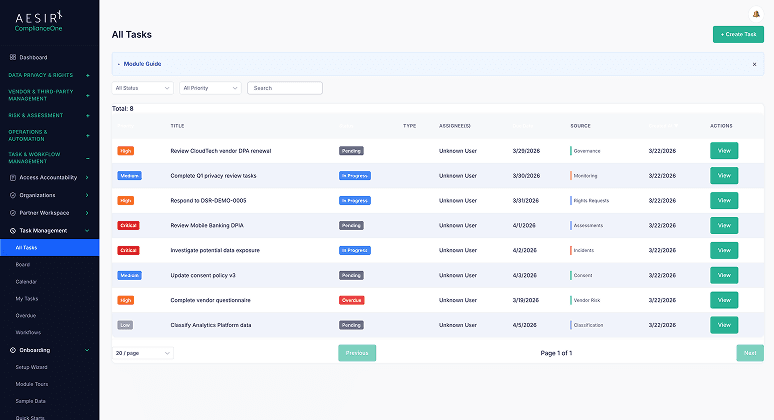
Task Management solves this by providing a unified task model that links to any module in the platform. Tasks are created automatically from 18 source modules via event-driven integration. Section-level assignment lets the DPO delegate specific case sections to specific departments, while parent-child task hierarchies keep related work aligned. Cross-department conflict detection flags scheduling collisions before they become missed deadlines. Calendar, board, and list views give every team member the interface that fits their workflow, and SLA tracking with breach escalation ensures nothing is silently overdue.
Every compliance action – from a DSR fulfillment step to a monitoring cycle task – is represented as a single canonical task record. Tasks link back to their source module and entity, so context is always one click away. Automatic task generation from 18 source modules means work appears in the task hub without manual creation.
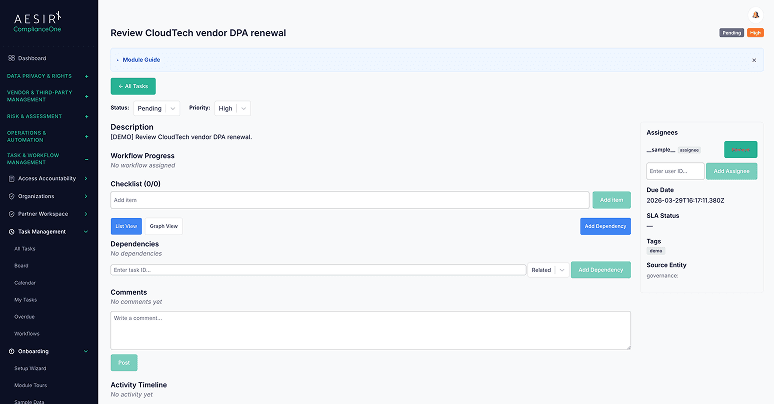
For multi-section cases like DPIA dossiers or consolidated reports, tasks can be assigned at the individual section level. Each section carries its own status, assignee, and deadline, giving granular visibility into which parts of a case are complete and which are blocking progress.
Subtasks inherit deadline, priority, and framework context from their parent task. When a parent DPIA review is due Friday with high priority, every child section task inherits those constraints automatically – no manual configuration required.
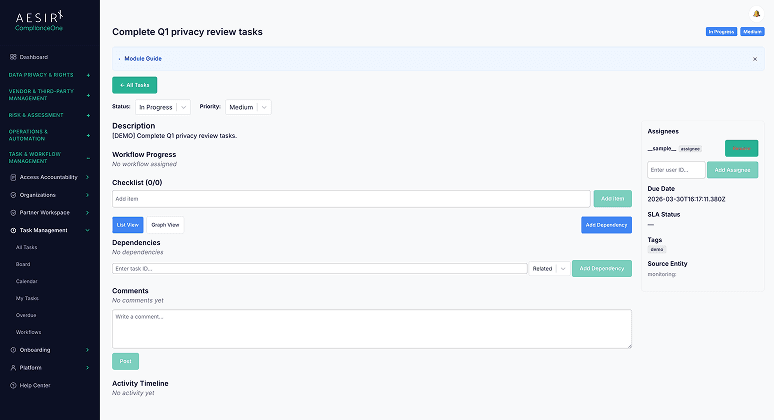
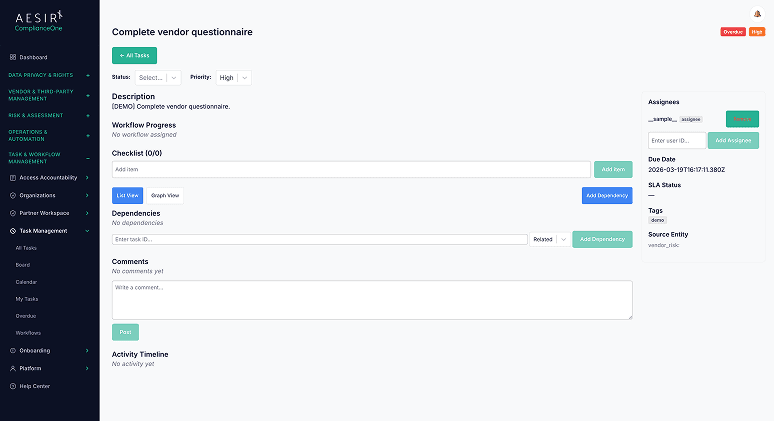
When multiple departments work on the same case, the system automatically detects scheduling and resource conflicts. Conflicts are classified by severity so teams can prioritize resolution – preventing the scenario where two departments unknowingly compete for the same reviewer or deadline slot.
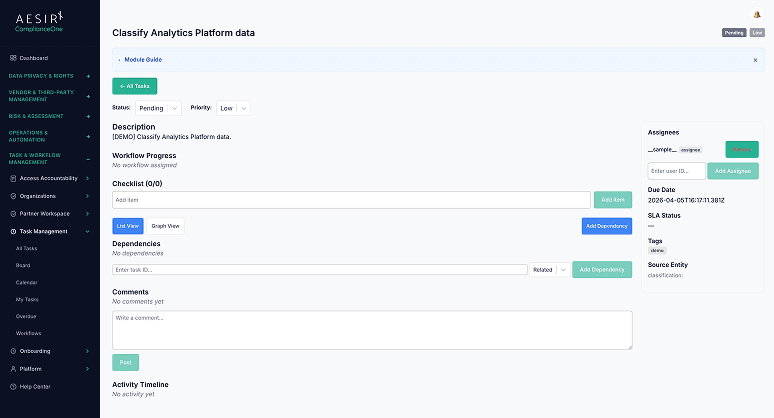
When a reviewer identifies issues in one section of a multi-section case, they can request a revision on that specific section without resetting the entire case. Completed sections remain intact while the targeted section returns to its assigned department for rework.
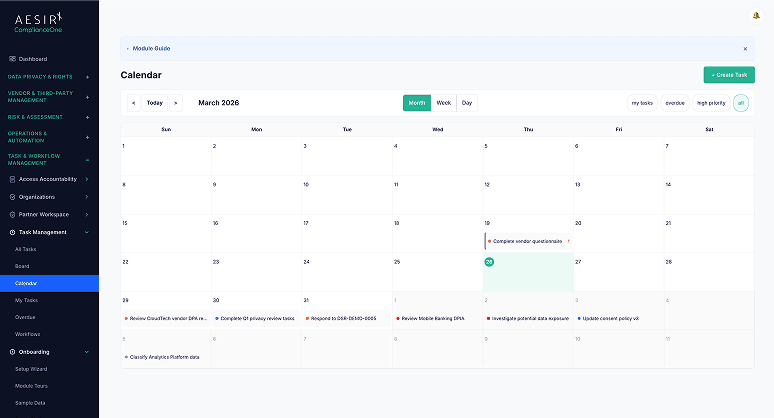
Three complementary views serve different working styles. The calendar view provides month, week, and day layouts with drag-and-drop rescheduling. The board view offers Kanban-style columns for visual workflow management. My Tasks provides a personal queue filtered by assignment, status, priority, and due date.
Configurable workflow definitions support custom status transitions, multiple assignment strategies (manual, role-based, round-robin, least-loaded), and escalation rules. Pre-built workflow templates cover common GRC processes including DSR fulfillment, DPIA review, and incident response.
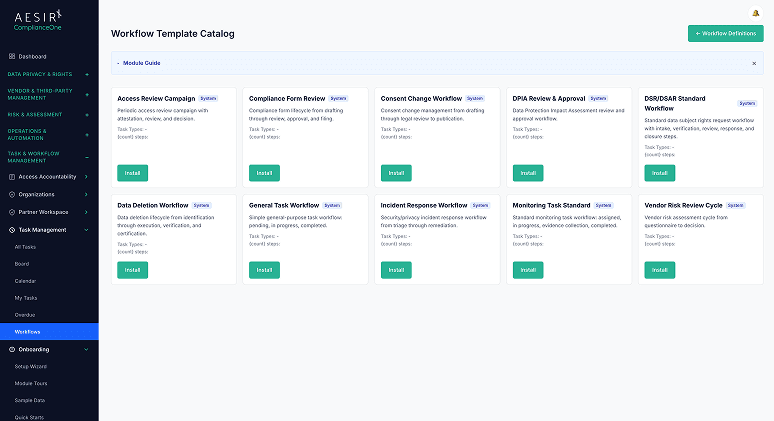
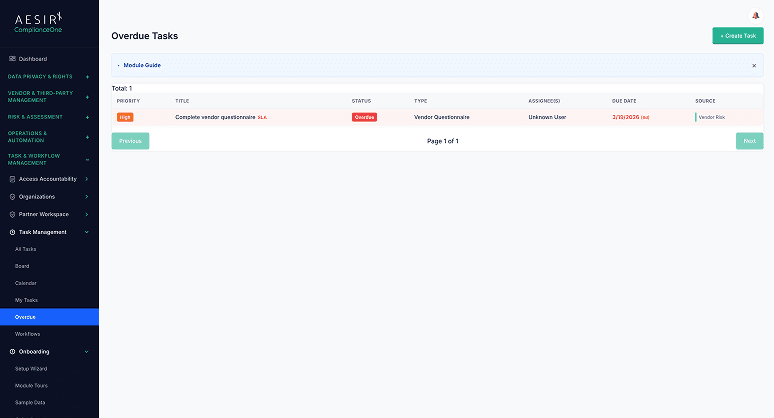
Per-task SLA clocks track time-to-resolution with automated breach escalation. A dedicated overdue dashboard surfaces all past-due items with SLA breach indicators, ensuring compliance deadlines are visible to leadership before they become regulatory failures.
 Compliance tasks scattered across module-specific views with no consolidated workload picture.
 A single task hub aggregates work from 18 GRC modules with automatic task creation.DPOs manually track section completion status for multi-department cases via email or spreadsheets.Section-level assignment shows exactly which departments have completed their sections and which are pending.Scheduling conflicts between departments surface only after deadlines are missed.Cross-department conflict detection flags scheduling collisions before they cause delays.No automated escalation when SLA clocks approach breach thresholds.SLA tracking with breach escalation ensures overdue items trigger alerts, not silent failures.Department owners cannot see their full cross-module task queue in one place.My Tasks view gives every team member a filtered personal queue across all compliance processes.
Automatic task generation from 18 source modules eliminates manual task creation, when a DPIA section is assigned or a vendor review is triggered, the corresponding task appears in the hub immediately.

Parent-child task hierarchies with inherited deadlines and priority keep multi-section cases aligned without requiring manual configuration on every subtask.

Four assignment strategies (manual, role-based, round-robin, least-loaded) let organizations match task distribution to their team structure, from small compliance teams to large multi-department operations.
Coordinates multi-department DPIA section completion and consolidation with deadline tracking aligned to statutory filing timelines.Manages incident remediation task assignment and SLA enforcement for authority cooperation deadlines.Ready to see how Task Management works with your compliance workflows? Request a personalized demo.

Ronni K. Gothard Christiansen - Technical Privacy Engineer & CEO
Technical Compliance Expert, 32+ Years Open Source Advocate, X-BoD Open Source Matters Inc.
Task Management connects to 18 source modules through event-driven integration. When a compliance action is triggered in any module, such as a DPIA section assignment, a vendor review schedule, or an incident remediation step, a task is automatically created in the task hub with a link back to the source entity.
Yes. For cases with multiple sections (such as DPIA dossiers or consolidated reports), tasks can be assigned to individual sections. Each section has its own assignee, status, and deadline, so the case owner can track granular progress without waiting for a single aggregate status.
The system's cross-department conflict detection automatically identifies scheduling and resource conflicts between departments working on the same case. Conflicts are classified by severity so teams can resolve the highest-impact collisions first.
Yes. The workflow engine supports configurable status transitions, assignment strategies, and escalation rules. Pre-built workflow templates are provided for common GRC processes (DSR fulfillment, DPIA review, incident response), and organizations can create custom workflows for their specific processes.
Yes. The My Tasks view provides a personal task queue filtered by assignment. Department owners see every task assigned to them (regardless of which module generated it) with filtering by status, priority, due date, task type, and SLA breach status.
Explore the module architecture, then speak with us about the workflows your organization needs to operationalize first.

Test Task Management with your actual multi-department workflows and see consolidated task views in action.

Talk through your task coordination challenges and see how the unified task hub fits your team structure.

The evolution of Aesir is Aesir +  (the Norse symbol for Necessity)"Needed in order to achieve a particular result"
♥Join the AesirX Privacy Newsletter. Stay Informed. Stay Compliant.


 VN PDPL (91/2025/QH15)
 VN Cybersecurity Law (116/2025/QH15)