DPO Radio
Audit Walkthrough Generator
Takes a planned audit and drafts a walkthrough for its controls — an opening question, the evidence to expect, follow-up probes, and the gaps to watch for — ready to take into the kickoff.


A walkthrough is the auditor's standard procedure for understanding how a control actually operates. It turns on asking the right opening question, knowing what evidence should exist if the control is working, and having the follow-up ready when the first answer is incomplete. Prepared ad hoc, walkthroughs vary in rigour between auditors and between cycles.
The audit walkthrough generator takes a planned audit, reads the controls in its scope, and drafts a walkthrough for each one: the opening question, the evidence to expect, the follow-up probes, and the potential gaps. The audit lead reviews the set, adapts it, and exports it as a DOCX to take into the kickoff.
The workflow runs against an audit record, not a bare control reference — the audit is what defines which controls are in scope. If the audit has no controls attached, the workflow says so rather than inventing a scope for it.
Each control in scope gets an opening question to put to the control owner and the evidence that should exist if the control operates as documented. It also gets follow-up probes for when the first answer is thin, and the potential gaps to watch for. Each is grounded in the control requirement and the organisation's own documented implementation.
The accepted walkthrough exports as a DOCX through the platform's standard export pipeline, so it goes into the kickoff as a working document rather than something to be retyped.
The audit lead accepts or rejects the drafted walkthrough as a set, and the decision is recorded. Adaptation happens in the exported document, where the auditor is working anyway.
Standard workflow audit shape.
 Walkthroughs are reconstructed each cycle with inconsistent rigour.
 Every control in the audit's scope gets the same four-field preparation.The opening question depends on which auditor drew the control.The opening question is grounded in the control requirement.Follow-up probes live in personal notes rather than anywhere shared.Expected evidence is stated before the walkthrough, not judged after it.Nothing states in advance what evidence should exist if the control works.Follow-up probes ship with the script rather than being improvised.Preparation quality drops on the controls drawn late in the cycle.The whole set exports as a DOCX for the kickoff.

Each field is grounded in the underlying control requirement and the organisation's documented control implementation, so a drafted probe can be traced to the obligation that motivates it.

The workflow does not run the walkthrough, and it does not judge the control. It prepares the auditor; the auditor forms the opinion.

The audit trail records the script draft, the operator adaptations, and the resulting walkthrough findings.
| Framework | How Audit Walkthrough Generator Supports It |
|---|---|
| ISO 27001 | Drafts walkthrough scripts for ISO 27001 Annex A controls. |
| SOC 2 | Drafts walkthrough scripts for SOC 2 Trust Services Criteria. |
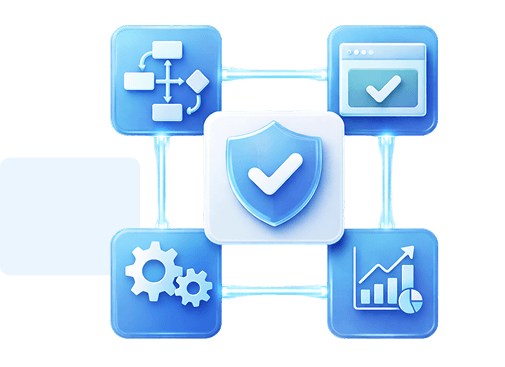
Use a walkthrough when the audit scope is set. Use the wider audit workflows to prepare the programme, sample, interview and corrective action. See Internal Audit Workflows.
Ready to see a walkthrough script generated for an ISO 27001 control with interview question bank? Request a personalised demo.

Ronni K. Gothard Christiansen - Technical Privacy Engineer & CEO
Technical Compliance Expert, 32+ Years Open Source Advocate, X-BoD Open Source Matters Inc.

Run audit walkthrough generator across your in-flight audit programme for one quarter.

Talk to our team about how the workflow fits your internal audit cadence.
Four per control: the opening question to put to the control owner, the evidence that should exist if the control operates as documented, follow-up probes for when the first answer is incomplete, and the potential gaps to watch for. Each is grounded in the underlying control requirement.
Yes. An accepted walkthrough exports as a DOCX through the platform's standard export pipeline, so it goes into the kickoff as a working document rather than something to be retyped.
No. The audit lead adapts the script and runs the walkthrough with the operational team.
Yes. The audit lead adapts the draft and saves the adapted script. Subsequent runs can use the saved adaptation.
Yes. Each run sends requests to the AI provider your organisation has configured, and your provider bills your organisation for them directly. A run is never refused because a Forseti allowance ran out, and the Usage page reports what each feature consumed.


The evolution of Aesir is Aesir +  (the Norse symbol for Necessity)"Needed in order to achieve a particular result"
♥Join the AesirX Privacy Newsletter. Stay Informed. Stay Compliant.