

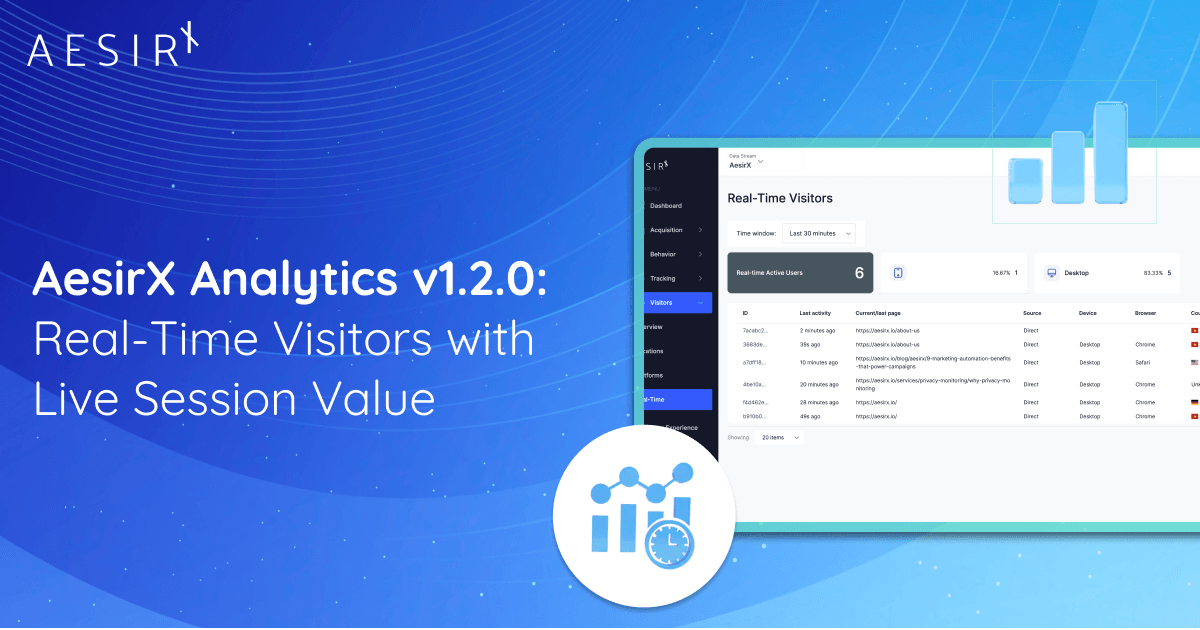
NEW YORK, DECEMBER 19, 2025 - AesirX Analytics 1.2.0 introduces Real-Time Visitors, giving you a live window into who is on your site right now, what they are doing, and how much value their session is generating. You can track active user journeys, see pages and actions as they happen, and watch session metric values grow in real time. It turns visitor monitoring from a retrospective report into an active insight you can use immediately.
This capability builds on earlier releases in the AesirX value-measurement stack. Version 1.0.0 added UTM Value Mapping to quantify where visitors originate, and 1.0.1 introduced Tag Event Value Mapping to measure the impact of on-site actions. With 1.2.0, these values now converge into a live session view, transforming raw behaviour into a measurable signal you can see and act on inside your own first-party analytics environment.
In addition to real-time visibility, this release also introduces dedicated conversion value reporting in UX Flow and Visitor Detail views. This makes it easier to distinguish flows that generate genuine conversion outcomes from those that only accumulate visit or action value.

With AesirX Analytics 1.0.0 and 1.0.1, we gave you the tools to measure value:
- 1.0.0 introduced UTM Value Mapping - attach value to where visitors come from.
- 1.0.1 added Tag Event Value Mapping - attach value to what they do on your site.
With AesirX Analytics 1.2.0, we’re adding the missing piece: Real-Time Visitors - a live view of who’s on your site right now and how much value their session is generating.
Instead of only seeing value after the fact in reports, you can now watch active visitors, their current pages, and their live session metric value as it grows - all inside your first-party analytics stack.
From a small widget to a full Real-Time view
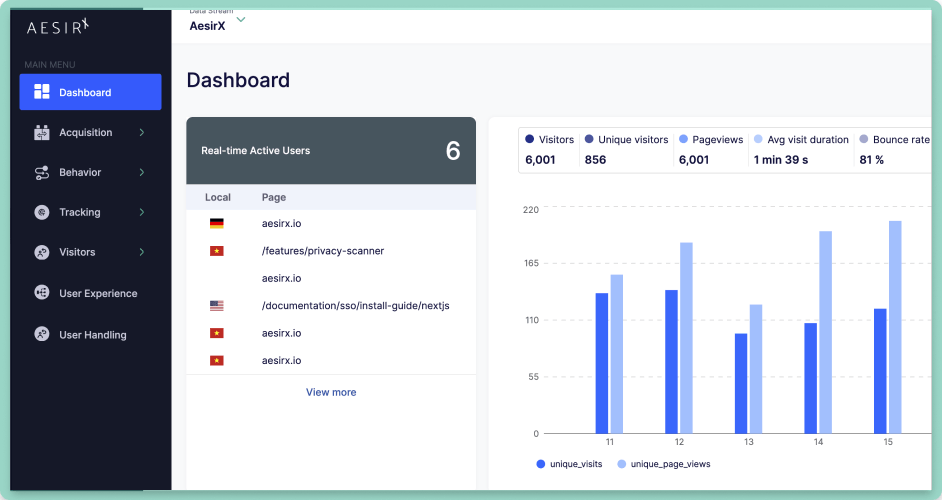
Until now, real-time data lived in a small Dashboard widget:
“Real-time Active Users” - showing the number of active users and a few recent pages.
In 1.2.0, we’re promoting that widget into a full view under the Visitors menu:
- Visitors → Real-Time
The same logic that powers the Dashboard widget now drives a full-page Real-Time Visitors list, so you can see not just how many users are active, but who they are and what they’re doing right now.
Real-Time Visitors: see active sessions as they happen
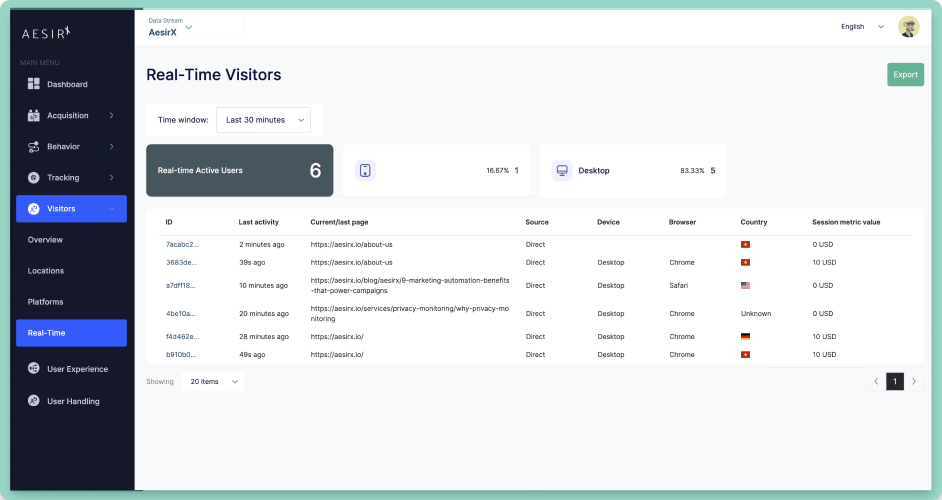
The new Real-Time Visitors view shows a live list of all active sessions within a rolling time window (e.g. last 5 minutes). For each visitor/session you can see:
- Visitor label - anonymized ID for that session.
- Last activity - when we last saw an event (e.g. “25s ago”).
- Current/last page - which URL they’re currently on or just visited.
- Source - UTM summary (if they came from a campaign) or referrer (e.g. “Direct”, “Google”).
- Device & platform - desktop/mobile/tablet and browser.
- Country - where the session is coming from.
- Session metric value - the total metric value for this session so far, based on UTM + Tag Event values.
The big number at the top shows the current active visitors, just like the Dashboard, but now you have the detail to understand what’s actually happening on your site in real time.
Live session value: powered by UTM + Tag Event mapping
Because 1.2.0 builds on 1.0.0 and 1.0.1, the Real-Time view isn’t just another “active users” counter - it’s driven by the same value mapping you use in your reports.
For each active session, the Session metric value is:
UTM metric value (campaign origin)
- sum of all Tag Event metric values (actions during the session so far)
That means:
- If a visitor arrives from a high-value campaign, they start with a higher UTM value.
- As they interact with your site - viewing key pages, signing up, adding to cart - Tag Events add more value.
- The Real-Time view shows that live score updating as they move.
You can literally watch high-value journeys forming while they happen.
One click to full UX Visitor Detail
Real-time is great, but sometimes you want the full story.
From Visitors → Real-Time, you can click any visitor row to open the existing UX Visitor Detail view:
- See the full event timeline for that session.
- See the UTM Event (if present) as the first row.
- See each Tag Event with its metric value.
- See the total metric value and Engagement Score for that session in the side panel.
So the Real-Time view is your radar, and UX Visitor Detail is your deep dive - and both run on the same first-party event data and value mapping.
Built on first-party events, not third-party trackers
Nothing changes about AesirX fundamentals in 1.2.0:
- Real-Time visitors are computed from the same first-party events collected by the AesirX Analytics JS Collector.
- Value comes from UTM Value Mapping and Tag Event Value Mapping - not from any external pixels.
- All data is stored and processed on your First-Party Server.
We’re not adding third-party tags to “get real-time”; we’re simply surfacing what your own first-party stack already knows, in a more actionable way.
Release notes summary (v1.2.0 highlights)
| Feature | Benefit |
|
New: |
Full-page Real-Time view listing active visitors/sessions in the selected time window, with per-session details. |
|
New: |
Each row shows visitor label, last activity, current/last page, source (UTM/referrer), device, country, and live session metric value (UTM + Tag Event metric values). |
|
New: |
A dedicated "Conversion value" indicator is now surfaced in UX Flow overview and UX Visitor Detail. It separates the metric value of conversion-type events from other interactions, so you can quickly identify high-conversion sessions and flows. |
|
Improved: |
The Dashboard widget now links to the new Real-Time view via "View more", using the same underlying real-time logic and active window. |
How to get AesirX Analytics
Get AesirX Analytics and turn every campaign into measurable value.
➡ Setup guide: https://aesirx.io/documentation/analytics/install-guide/how-to-set-up-aesirx-analytics-javascript-collector
Explore our ecosystem at: https://www.aesirx.io