

You did what the internet trained you to do.
You cleared cookies.
You emptied the cache.
You opened a private window.
You turned on a VPN.
And the website still felt… familiar. Like it remembered you.
That moment is the modern privacy trap: most people defend storage (cookies), while a growing share of tracking is done by measurement (fingerprinting) and side-channels (caches and protocols you rarely think about).
This is a practical deep dive into the not-so-obvious tracking layers, what is true (and what is hype), and how to mitigate each technique without accidentally making yourself even more unique.
Reader promise: In the next 7 minutes, you’ll learn (1) how websites can recognize your browser without cookies, (2) the 3 buckets of “beyond cookies” tracking, and (3) the one mitigation strategy that actually works: reduce entropy, isolate identities, and avoid becoming rare. You’ll finish with a simple checklist you can apply tonight.
Why the browser became a tracking sensor
A modern browser is a high-capability runtime:
- It renders graphics (Canvas, WebGL, WebGPU).
- It processes audio (Web Audio / AudioContext).
- It reveals layout behavior (fonts, DOM measurement).
- It negotiates advanced network protocols (TLS, HTTP/2, QUIC/HTTP/3).
- It exposes local-network behavior unless carefully sandboxed (WebRTC, DNS handling).
Most of these exist for legitimate reasons: video calls, maps, 3D, accessibility, performance.
The privacy problem appears when these capabilities are used to build a stable identifier that links your visits over time, especially when combined with logins, embedded scripts, and correlation across sites.

Part 1: Cache supercookies
1. Favicon supercookies: the logo that becomes the tracker
What it is
A site stores an ID in favicon caching behavior, not in cookies. It can survive “I cleared cookies” routines because favicons can be cached outside what users intuitively clear.
How it works
The server forces your browser to load a specific pattern of icons (think binary: icon present vs not). Later, the site “reads” your ID by checking which favicon requests your browser does not make because it already has them cached.
Why it matters
It exploits the gap between what users think they cleared and what the browser actually retained.
Mitigations
- Clear site data and cache, not just cookies.
- Use separate browser profiles for separate identities (work vs personal vs research).
- Prefer browsers with stronger anti-tracking defaults and storage isolation.
Myth vs Reality (Favicon supercookie)
Myth: “This tracks you forever, you can never escape.”
Reality: It is persistent relative to typical habits, but not invincible. Isolation (profiles/containers) and thorough data clearing breaks it. The power is mostly psychological: users do not expect the favicon to be state.
Best single move: Use separate browser profiles for separate identities (personal/work/research).
Tradeoff: Slight friction switching profiles, but it kills a lot of “carry-over” tracking.
Part 2: Fingerprinting
Before we go method-by-method, a reality check:
Fingerprinting usually does not “identify you as a person” by itself. It links sessions and contexts. The danger comes from stacking signals: graphics + fonts + timezone + hints + network traits, and then attaching that to a login, checkout, email click, or app identifier.
2. AudioContext fingerprinting: identifying you with “silence”
What it is
A script generates and processes an audio signal inside your browser and hashes the output.
How it works
Audio pipelines can differ subtly due to hardware, drivers, floating-point math, and implementation details. Even when you hear nothing, the computed output can be distinguishable.
Why incognito and VPN do not help
This is not storage and not IP. It is computation behavior.
Mitigations
- Use browsers/modes with fingerprinting protections (standardization or controlled randomization).
- In Firefox, consider enabling Resist Fingerprinting (privacy.resistFingerprinting) if your browsing can tolerate breakage.
- Avoid “privacy tweak piles” that create a rare environment.
Myth vs Reality (Audio fingerprinting)
Myth: “It listens to your microphone.”
Reality: This technique is usually about generating audio internally, not recording you.
Myth: “A VPN stops it.”
Reality: VPN changes network path. Audio fingerprinting is local compute behavior.
Best single move: Turn on a hardened anti-fingerprinting mode (Firefox RFP or a privacy browser with built-in protections).
Tradeoff: Some sites may behave oddly (audio apps, conferencing, or WebAudio-heavy experiences).
3. Canvas fingerprinting: real, common, and often exaggerated
What it is
A site draws hidden text/shapes to an HTML5 canvas, reads pixels, and hashes them.
How it works
Rendering depends on fonts, OS text rendering, GPU behavior, anti-aliasing, and browser implementation details. Those differences produce a signature.
What it enables
Session linking and probabilistic correlation. It becomes more powerful when combined with other signals.
Mitigations
- Use browsers with fingerprinting defenses that standardize or randomize canvas outputs.
- Keep your environment “boring” (avoid unusual fonts and exotic configurations).
- Keep browsers updated. Defenses evolve as techniques evolve.
Myth vs Reality (Canvas fingerprinting)
Myth: “They track your GPU forever.”
Reality: Canvas hashes can be fragile across updates, settings changes, and defenses. The real risk is linkability, not permanent identity certainty.
Myth: “Incognito makes you invisible.”
Reality: Incognito mainly changes storage rules. Canvas is measurement.
Best single move: Use a browser that standardizes or randomizes canvas output by default (avoid add-on roulette).
Tradeoff: You may see occasional compatibility quirks, especially on niche web apps.
4. WebGL fingerprinting: when graphics capabilities become identity
What it is
WebGL can expose GPU and rendering traits that can be queried and fingerprinted.
How it works
Sites can read renderer strings, supported extensions, precision quirks, and limits. Combined with canvas and fonts, this can narrow users sharply.
Mitigations
- Prefer browsers with built-in anti-fingerprinting.
- For high-risk sessions, consider disabling WebGL (expect breakage on maps and 3D-heavy sites).
- Avoid random “anti-fingerprint” extensions unless you trust them deeply. They can increase uniqueness.
Myth vs Reality (WebGL fingerprinting)
Myth: “Disabling WebGL is always best.”
Reality: It can improve privacy but often breaks common sites. A hardened browser mode may be a better tradeoff.
Myth: “One signal is enough.”
Reality: WebGL is most powerful as part of a stacked fingerprint.
Best single move: Keep WebGL on, but browse with a hardened profile/browser that limits WebGL entropy.
Tradeoff: Disabling WebGL is stronger but breaks maps/3D-heavy sites; hardening is the balanced path.
5. WebGPU fingerprinting: the next surface
What it is
WebGPU is a more modern graphics API with richer capability and therefore potentially richer fingerprint surface.
Why it matters
More capability often means more unique combinations unless browsers actively reduce exposed entropy.
Mitigations
- Do not enable experimental GPU features you do not need.
- Prefer browsers that treat high-entropy APIs cautiously.
Myth vs Reality (WebGPU)
Myth: “This is only theoretical.”
Reality: The moment a feature becomes widely deployed, it becomes a measurement surface. The privacy question is whether it is partitioned and normalized by default.
Best single move: Do not enable experimental GPU features you don’t need; keep WebGPU off in sensitive profiles if possible.
Tradeoff: Some newer high-performance web apps and creative tools may lose features or speed.
Part 3: The quiet entropy most people forget
6. Font fingerprinting: typography as a unique signature
What it is
Sites infer your available fonts and rendering behavior by measuring text size and fallback patterns.
Why it matters
Font sets can be surprisingly unique, especially if you install many niche fonts.
Mitigations
- Keep your main browsing environment boring: fewer custom fonts.
- Use hardened browser modes that standardize font exposure.
- Separate “creative workstation browsing” from “privacy-sensitive browsing.”
Myth vs Reality (Fonts)
Myth: “Fonts alone identify you.”
Reality: Fonts are strong entropy, but most effective when combined with other signals and stability over time.
Best single move: Keep your “privacy browsing” environment boring: minimal custom fonts, minimal OS customization.
Tradeoff: Your creative workstation may still be unique; separate profiles/devices when it matters.
7. ClientRects and layout measurement: geometry fingerprints
What it is
Scripts measure how elements render and lay out, sometimes down to subpixel differences.
Why it matters
Layout depends on fonts, OS rendering, zoom, device pixel ratio, GPU composition, and browser differences.
Mitigations
- Use anti-fingerprinting modes that normalize measurements.
- Avoid unusual zoom settings and rare window sizes for privacy-sensitive browsing.
Myth vs Reality (ClientRects)
Myth: “This is too small to matter.”
Reality: Small differences add up when stacked across many measurements.
Best single move: Avoid unusual zoom and window setups; use hardened modes that normalize measurements.
Tradeoff: You lose a bit of personalization (perfect zoom/layout preferences) for a less unique signature.
8. Client Hints: the “optimized web” that can over-disclose
What it is
Client Hints can provide detailed device and browser attributes for content optimization.
Why it matters
More detail can mean more fingerprint surface if not constrained.
Mitigations
- Prefer browsers that limit high-entropy hints by default.
- Be cautious with enterprise policies or extensions that expose extra detail.
Myth vs Reality (Client Hints)
Myth: “User-Agent reduction solved fingerprinting.”
Reality: Reducing one header does not solve the broader measurement surface. It shifts where entropy lives.
Best single move: Stay on mainstream browsers and defaults; avoid tools/policies that expose extra device detail.
Tradeoff: You might lose some “optimized” content delivery, but you gain predictability and less entropy.
Part 4: Network side-channels and protocol fingerprints
9. WebRTC leaks: when a VPN is not the whole story
What it is
WebRTC can reveal network candidate information depending on how it is configured.
Why it matters
It violates user expectations: “VPN on” feels like “hidden,” but WebRTC can create exceptions.
Mitigations
- Test for WebRTC leaks.
- Restrict or disable WebRTC where feasible.
- Use hardened profiles for sensitive sessions.
Myth vs Reality (WebRTC)
Myth: “A VPN always protects me.”
Reality: A VPN protects the path, but some browser features can expose network details unless controlled.
Best single move: Test WebRTC leaks and disable/restrict WebRTC in privacy-sensitive profiles.
Tradeoff: WebRTC-based calls (Meet/Discord/browser calling) may degrade or require an exception profile.
10. DNS leaks: the metadata trail beside your encryption
What it is
DNS requests can go to unintended resolvers, exposing what you look up, even if page traffic is encrypted.
Why it matters
DNS is behavioral metadata. If it leaks, it can undermine your privacy posture.
Mitigations
- Run DNS leak tests.
- Ensure your VPN handles DNS correctly.
- Prefer consistent encrypted DNS approaches aligned to your threat model.
Myth vs Reality (DNS)
Myth: “HTTPS means nobody sees anything.”
Reality: HTTPS encrypts page content, not necessarily all metadata. DNS can still reveal patterns.
Best single move: Ensure your VPN handles DNS correctly and verify with a DNS leak test.
Tradeoff: Misconfigured “custom DNS” setups can reduce speed or break captive portals; keep it simple.
11. TLS, HTTP/2, and QUIC: fingerprints from how your client “speaks”
What it is
This is fingerprinting below the browser APIs: it’s how your client speaks, not what it stores.
Protocol-level fingerprints derive from handshake parameters, ordering, settings, and behavior patterns:
- TLS handshake fingerprints (JA3/JA4-style)
- HTTP/2 settings and frame behaviors
- QUIC/HTTP/3 handshake and frame behaviors
Why it matters
Even if IP changes, protocol behavior can remain stable and distinguishable. Here’s the part most people miss: you can change IPs and still look like the same client.
A VPN changes where you appear to be. It does not automatically change how your browser negotiates TLS, HTTP/2, or QUIC.
If your handshake and protocol settings remain consistent, trackers can treat that as a “network fingerprint” and use it as another stable handle to link sessions.
Mitigations (realistic, not fantasy)
- Stay mainstream: use common browsers and current versions.
- Avoid exotic stacks and endless privacy “tuning” that makes you rarer.
- Accept that you may not eliminate protocol fingerprinting, but you can reduce linkability by separating contexts and avoiding cross-site accumulation.
Myth vs Reality (TLS/HTTP2/QUIC)
Myth: “If I change IPs, tracking stops.”
Reality: Network fingerprints can persist beyond IP changes.
Myth: “I can manually tweak my way to invisibility.”
Reality: Over-tweaking often produces an uncommon signature.
Best single move: Don’t over-tune: use a mainstream, up-to-date browser and avoid exotic privacy tweak stacks.
Tradeoff: You won’t eliminate protocol fingerprints entirely, but you avoid becoming rare and easier to single out.
Part 5: The mitigation playbook that actually works
1. Define your threat model
- Casual ad-tech and data broker tracking
- Sensitive research or high-risk exposure
Your strategy changes depending on stakes.
2. Stop trying to be random
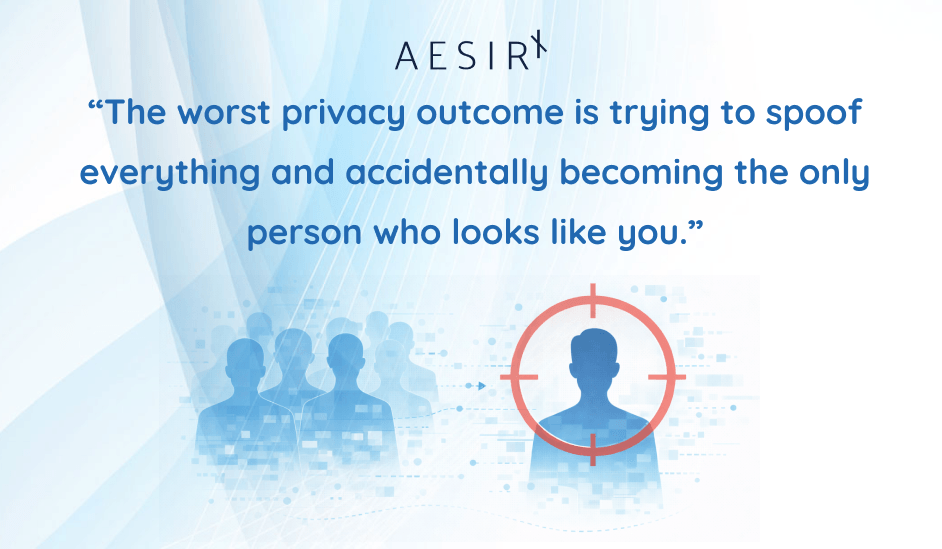
Random extensions and dozens of settings changes often increase uniqueness. The goal is not to look “different.” The goal is to look “common.”
3. Separate identities by design
- Separate profiles for personal, work, research, finance, and high-risk browsing.
- Treat each profile as a different person.
- Avoid logging into everything from the same browser identity.
4. Use a hardened browser strategy
- A mainstream privacy-forward browser for daily life.
- A hardened mode or separate browser for sensitive browsing.
5. Test and re-test
Use fingerprint and leak test tools to confirm:
- You did not create a rare configuration.
- Your network is not leaking (WebRTC, DNS).
- Your browser defenses are actually active.
The values-based choice
Privacy is not a vibe. It is the foundation of autonomy.
If the web can silently recognize you everywhere, it can:
- manipulate what you see,
- price discriminate,
- deny opportunities,
- normalize surveillance as “just how websites work.”
But that outcome is not inevitable:
- Create 2–3 browser profiles: Personal, Work, Privacy (no cross-login).
- Use a mainstream, privacy-forward browser for daily use, and a hardened profile for sensitive browsing.
- Test for WebRTC and DNS leaks; retest after updates or new extensions.
- Remove niche extensions; fewer is safer than “privacy add-on roulette.”
The better path is a web where capability does not automatically imply collectability, and where safety does not become a pretext for permanent tracking.
So here’s my call to action for you:
- As a user: adopt identity separation and a hardened browsing strategy. Make it routine, not heroic.
- As a builder: refuse covert identifiers. If you need measurement, choose approaches that work without building stable cross-context handles.
- As a citizen: demand systems that preserve dignity by default, and accountability only under due process.
Ronni K. Gothard Christiansen
Technical Privacy Engineer & CEO @ AesirX.io
Appendix A - Reference list
Core demos and test suites
- supercookie.me (favicon supercookie demo)
- “supercookie” GitHub repository (favicon-based supercookie technique)
- BrowserLeaks Canvas test
- BrowserLeaks WebGL report
- BrowserLeaks Client Hints page
- BrowserLeaks JavaScript info page (high-level API surface overview)
- BrowserLeaks WebRTC leak test
- BrowserLeaks DNS leak test
- BrowserLeaks QUIC / HTTP/3 fingerprinting test
- BrowserLeaks TLS fingerprinting test (JA3/JA4 outputs)
- OpenWPM AudioContext fingerprint test page