

DPO Radio

OPT-OUT MODE (US/CCPA)
Lets US visitors disable optional tracking with a single action, giving websites default data collection while respecting opt-out rights.


Many websites serving U.S. audiences rely on tracking technologies to understand behaviour, personalise experiences, and measure campaign performance. However, California’s CCPA and similar U.S. privacy frameworks require a different consent model from Europe. Instead of blocking tracking upfront, users must be offered a clear and accessible way to opt out. Most businesses struggle to apply this correctly, mixing opt-in and opt-out rules or burying opt-out controls behind confusing interfaces. This creates inconsistent behaviour, unnecessary risk, and a poor user experience.
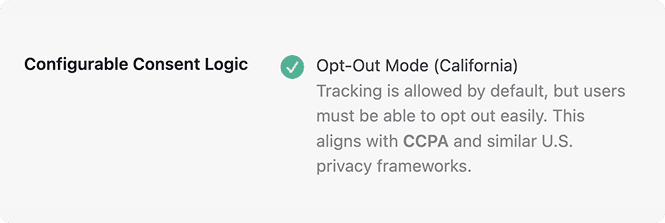
Opt-Out Mode (US CCPA) activates tracking by default while offering a straightforward opt-out control that disables optional tracking when chosen. It applies the correct behavioural pattern for U.S. visitors without requiring multiple versions of the site. Scripts load immediately, then deactivate if the visitor opts out, aligning tracking with the frameworks often referenced by California privacy rules.
For organisations operating across different regions, this mode removes the need for per-site customisation. It provides predictable tracking for US audiences, reduces manual configuration, and keeps data collection aligned with user rights while maintaining operational efficiency.
Built for organizations where data protection meets performance

Applies opt-out rules without rebuilding tracking architectures.

Keeps product analytics active unless users decline tracking.

Maintains default tracking while supporting opt-out rights.

Loads advertising scripts first, then disables them on opt-out.

Activates analytics until a visitor withdraws consent.

Reduces tracking only when users opt out of optional scripts.

Applies opt-out behaviour aligned with US-focused privacy terms.

Supports marketing pixels until travellers choose otherwise.
Applies US-style opt-out rules by loading tracking first and disabling it on request




When configured, Opt-Out Mode loads non-essential tracking technologies for US visitors at page load.
It follows CCPA-style behaviour by stopping optional scripts after a visitor opts out. Implementers must map and manage scripts through AesirX CMP for this to take effect.
 Check your opt-out placement so visitors can easily control optional tracking without navigating multiple screens.
Note that AI Auto-Blocking works for plugins and scripts loaded through WordPress’ standard architecture. Scripts hardcoded in theme files are not detected and must be added to blocking rules manually


 Same consent rules for all visitors
 Applies US-style privacy logicOpt-out hidden behind complex interfacesVisible opt-out available at entryManual regional setups requiredLoads tracking unless user disables itTracking removed for all by defaultNo extra setups for US audiencesInconsistent behaviour across pagesPredictable data collection per visitor
 Real opt-out behaviour
 Predictable tracking states
 Region-specific activation
AesirX CMP for WordPress v1.6.0 with configurable opt-in/opt-out consent logic – giving full control to align with GDPR, ePD, CCPA, and regional legal models.
READ MORE




Opt-Out Mode activates tracking by default for US visitors. The AesirX CMP system lets users disable optional tracking through a clear opt-out control.
This mode reflects CCPA-style opt-out behaviour by running tracking first, then turning it off when users choose to disable optional technologies.
Yes, depending on how your analytics tools are implemented. In an opt-out setup, analytics can run by default, and optional tracking can be stopped when a visitor opts out if the scripts are configured in AesirX CMP.
No. It uses the same banner. In opt-out setups, the banner appears in revoke mode so visitors can disable optional tracking if they choose.
Yes. You can use Opt-In as the default model and apply Opt-Out for US visitors through the Regional settings, which use browser language or time zone to override the default mode.


The evolution of Aesir is Aesir +  (the Norse symbol for Necessity)"Needed in order to achieve a particular result"
♥Join the AesirX Privacy Newsletter. Stay Informed. Stay Compliant.